No EHR project required
Keep your system. Automate the patient work around it.
Formisoft runs booking, intake, reminders, payments, reviews, and follow-up without making your team replace software or wait on a custom technical project.
Start self-serve · Connect systems only when it helps
Works around your existing system
Keep the software your team already uses. Formisoft handles the patient-facing work that happens before, between, and after visits.
Optional ways to connect
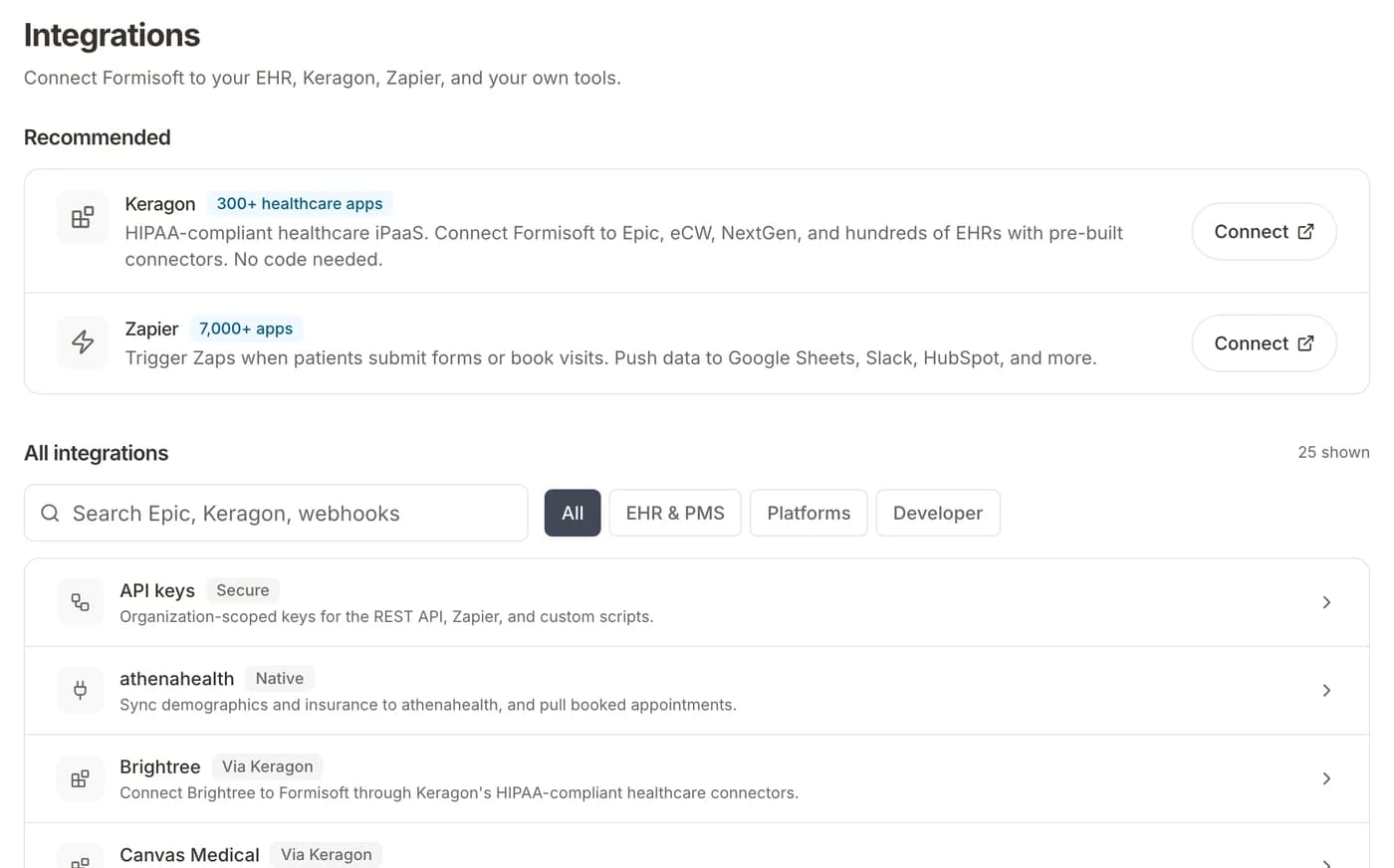
Most practices can start without an integration project. When a handoff is useful, use the lightest connection that solves it.
Webhooks
Send selected Formisoft events to another system when your practice needs a handoff.
- No-code setup in your dashboard
- 7 event types (submission, patient, appointment, form)
- HMAC-signed requests for security
- Delivery history with status codes and response bodies
- Works with any HTTP endpoint
REST API
Give technical teams access to forms, submissions, patients, appointments, and documents when deeper automation is worth it.
- CRUD operations for all major resources
- Organization-scoped API key authentication
- JSON responses with pagination
- Build custom operational workflows
- Automate any workflow programmatically
Zapier
Route Formisoft activity to everyday tools like Google Sheets, Slack, HubSpot, and more without writing code.
- Connect to 7,000+ apps (Sheets, Slack, HubSpot, etc.)
- Polling trigger via REST API for new submissions
- API key authentication (Bearer token)
- Human-readable field labels in payloads
- No engineering team required
Keragon
Use healthcare-specific connectors when you need a governed handoff to another clinical, billing, or operations system.
- Pre-built connectors for healthcare tools
- HIPAA-compliant data routing by design
- Triggers on form submissions, patients, and appointments
- Visual workflow builder, no code required
- Built specifically for healthcare organizations
Set up in three steps
Start without waiting on IT. Add connections when they are worth the effort.
Start with the patient workflow
Turn on booking, intake, reminders, payments, or follow-up in Formisoft first.
Keep your existing system
Your team can review, export, or attach Formisoft output to the system they already use.
Connect only the useful handoffs
Add webhooks, API, Zapier, or Keragon later when a specific data handoff saves work.
What Formisoft handles around your system
Run the patient-facing work first. Connect downstream systems only where the handoff saves time.
Prepare chart-ready packets
Collect demographics, insurance, consents, and history before the visit so staff can review clean information.
Fill the schedule
Let patients book online and keep the operational calendar clear for your team.
Trigger notifications
Alert your team on Slack, email, or SMS when a patient submits an intake form or books an appointment.
Export to billing
Route insurance details, payment collection, and patient data to your billing or revenue cycle platform.
Route follow-up work
Move patients into the next outreach, recall, review, or reactivation step automatically.
Log to spreadsheets
Append submission data to Google Sheets or Excel for custom reporting and analysis.
HIPAA Compliant
Secure handoffs by default
Formisoft is HIPAA-ready whether you use it on its own or connect it to another system. Patient data stays encrypted and under your control.
HIPAA compliant
All data is encrypted and transmitted through HIPAA-compliant infrastructure with BAA on every plan.
HMAC-signed webhooks
Every webhook request includes a cryptographic signature so your endpoint can verify authenticity.
No-code setup
Launch the front-desk workflow first. Technical handoffs can wait until you need them.
Controlled handoffs
When you do connect another system, send only the events and fields that belong there.
Ready to run the front desk around your existing system?
Start with the patient work: booking, intake, reminders, payments, and follow-up. Pair with automated workflows when you want the next steps to run automatically.