Pre-Visit Intake Automation
Automate form delivery before every appointment
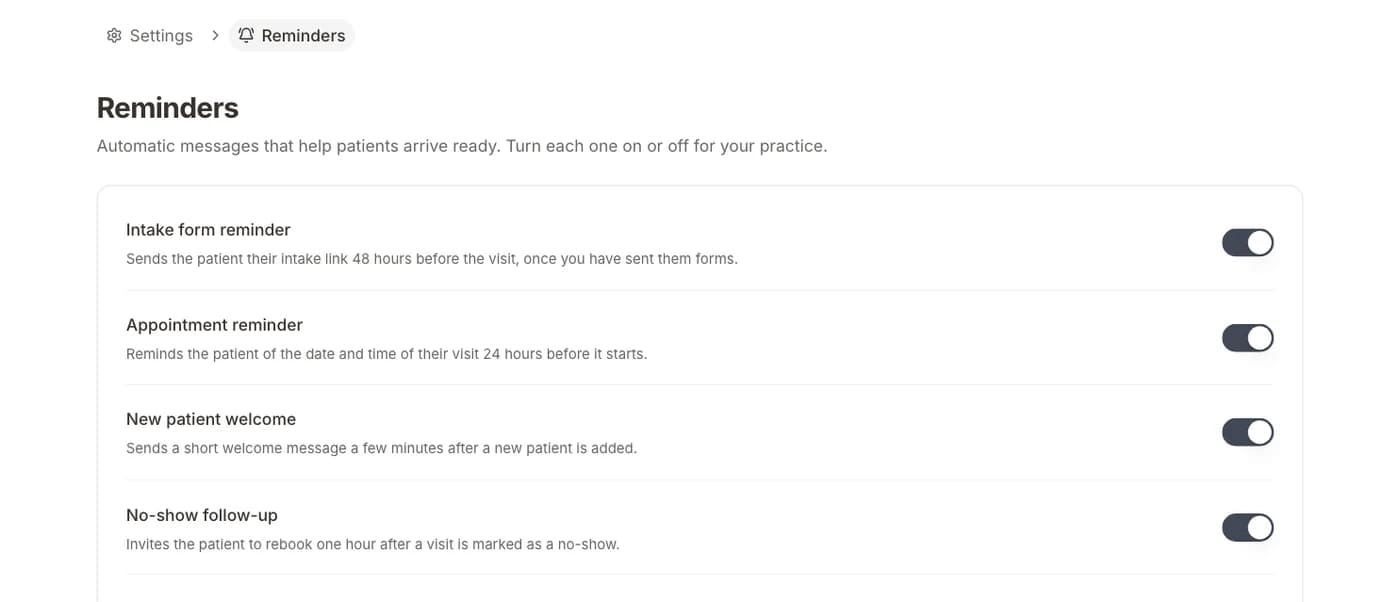
Every patient visit requires some level of intake — whether it's a new patient completing full registration or a returning patient updating their information. Formisoft's pre-visit intake automation ensures the right forms reach the right patients at the right time, without any manual effort from your staff. The system monitors your appointment schedule and triggers personalized intake sequences based on visit type, patient status, and provider requirements.

The automation engine is highly configurable. You define rules for when forms should be sent (e.g., 48 hours before the appointment), which forms to include based on visit type (new patient vs. follow-up vs. annual wellness), and how reminders should be handled for patients who haven't completed their forms. Returning patients see streamlined forms pre-populated with their existing data, so they only need to confirm or update information rather than re-enter everything from scratch.
This workflow transforms the patient arrival experience. Instead of arriving early to fill out paperwork, patients walk in with their intake already complete. Front desk staff spend their time greeting patients and handling exceptions rather than distributing and collecting clipboards. Providers receive a complete pre-visit summary, enabling them to prepare for the encounter and make the most of face-to-face time. Practices report that pre-visit automation cuts average check-in time from 15 minutes to under 3 minutes.
How it works
Appointment triggers workflow
When an appointment is scheduled, Formisoft automatically identifies which forms the patient needs to complete
Personalized forms sent
The right forms are delivered via email or SMS based on visit type, patient status, and provider requirements
Smart reminders follow up
Automated reminders are sent at configured intervals until forms are completed or the appointment arrives
Staff notified on completion
Front desk receives real-time notifications as patients complete their pre-visit forms
Key features
Everything you need for pre-visit intake automation, built into the platform.
Visit-Type Form Matching
Automatically select the correct form set based on whether the visit is new patient, follow-up, annual wellness, or specialty-specific.
Pre-Populated Returning Patient Forms
Returning patients see their existing data pre-filled, only needing to confirm or update changed information.
Configurable Send Timing
Set exactly when forms should be sent — 72 hours, 48 hours, or 24 hours before the scheduled appointment.
Completion Tracking Dashboard
Monitor which patients have completed their forms and which need follow-up, all from a single dashboard view.
Escalation Rules
Define what happens when patients don't complete forms — additional reminders, staff alerts, or in-office backup plans.
Provider Pre-Visit Summary
Automatically compile completed intake data into a summary for providers to review before the encounter.
Expected results
Ideal for
Recommended templates
Start with a pre-built template and customize it for your practice.
Frequently asked questions
How does the system know which forms to send each patient?
Formisoft uses configurable rules based on visit type, patient status (new vs. returning), provider, and appointment reason. You set up the rules once, and the system automatically matches the right form set to each appointment. New patients get the full intake packet while returning patients get streamlined update forms.
What if a patient has already completed their forms recently?
Formisoft tracks form completion history. If a returning patient completed their full intake within a configurable timeframe, they'll receive a shorter update form instead. You control the refresh intervals for each form type — for example, medical history every 12 months, demographics every 6 months.
Can different providers have different form requirements?
Yes. Each provider can have their own form sets and intake sequences. A dermatologist might require a skin assessment questionnaire that a primary care provider doesn't need. Formisoft's rules engine lets you customize intake by provider, department, visit type, or any combination.
How are the automated messages sent?
Forms are delivered via email, SMS, or both — you configure the channel preference. Formisoft uses Twilio for SMS and Resend for email delivery, ensuring reliable message delivery with tracking to confirm patients received their links.
What happens on the day of the visit if forms aren't complete?
Staff can see incomplete forms on the dashboard and either send a final reminder or hand the patient a tablet to complete forms in the waiting room. The same secure link works on any device, so the patient picks up right where they left off.
Related
New Patient Online Booking
From first click to chart-ready in minutes
Learn moreWorkflowPre-Visit Intake Automation
Every patient arrives chart-ready
Learn moreWorkflowMulti-Provider Practice
Different forms and schedules for each provider
Learn moreBy WorkflowNew Patient Intake
Digitize your entire new patient onboarding process
Learn moreBy WorkflowAnnual Wellness Visit Intake
Streamline annual wellness visit preparation and forms
Learn moreBy SpecialtyPatient Intake for Primary Care
Comprehensive intake for family and internal medicine
Learn moreBy SpecialtyPatient Intake for Multi-Provider Clinics
Unified intake for clinics with multiple specialties and providers
Learn moreReady to streamline your intake?
Start with a template, customize with the AI builder, and go live today. Every feature is already built into Formisoft.