Step 4 of 4 · Remind & respond
Reminders that bring patients in ready.
Texts and emails go out on their own before and after each visit. Patient replies come back to one inbox.
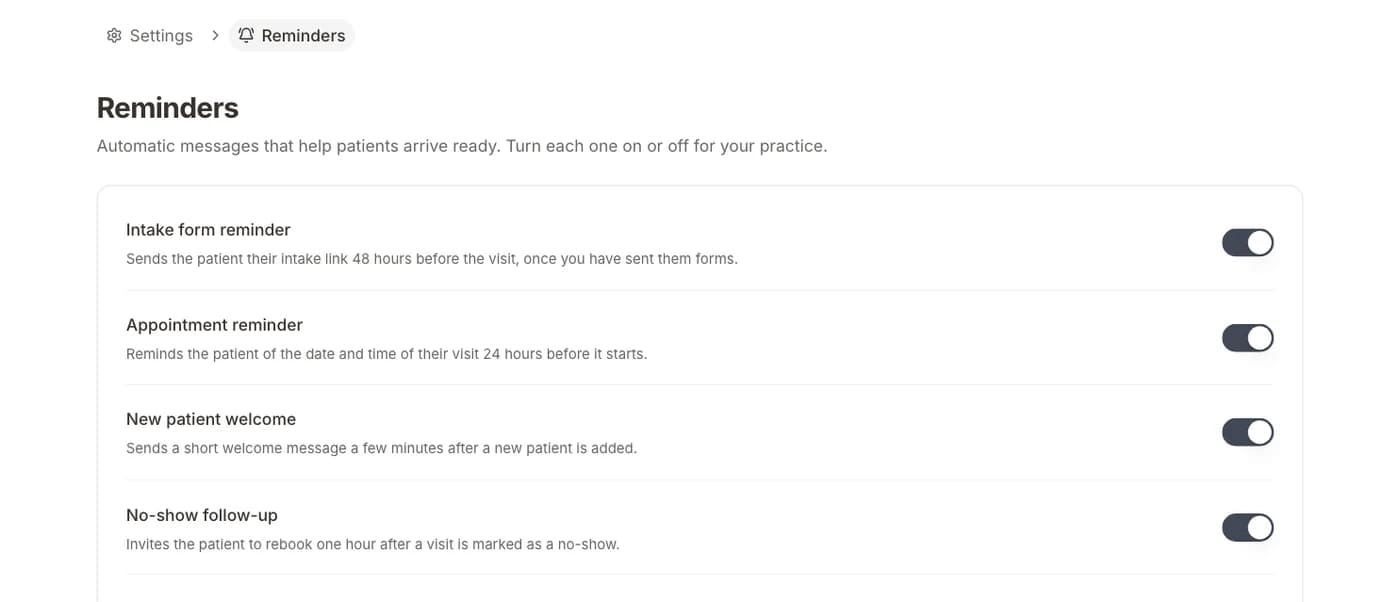
Four automatic messages
Intake reminders, visit reminders, welcomes, and no-show follow-ups.
Text and email
Send by SMS, email, or both, in your practice's name.
One inbox
Patient replies sit next to their forms and visits.
How it works
- 01Turn on the messages you wantEach one switches on or off in Settings.
- 02Edit the wordingTemplates fill in the patient name, date, and provider.
- 03Answer replies from the inboxEvery conversation stays with the patient.
What's included
- Intake reminderSends the intake link 48 hours before the visit.
- Appointment reminderThe date and time, 24 hours before the visit.
- New patient welcomeA short hello a few minutes after a patient is added.
- No-show follow-upAn invite to rebook one hour after a missed visit.
Questions
Back to the start
Get booked: Fill your calendar without the phone.Let reminders do the chasing.
Text and email reminders and the shared inbox are included.
BAA included · We set up your front desk