Engagement

Patient Notifications

Automated email and SMS for every step of the patient journey

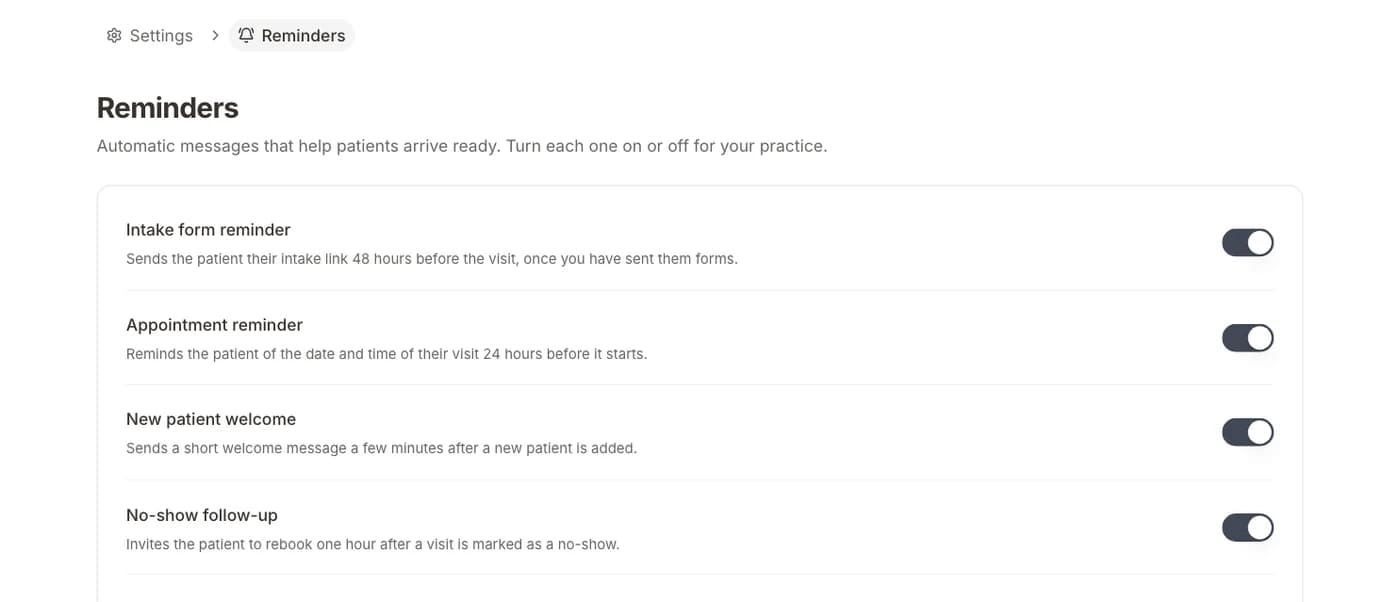
Patients forget appointments, ignore intake forms, and never leave reviews — unless you remind them at the right moment. Formisoft automates the five most impactful patient communications so your staff doesn't have to make calls or send manual messages.

Notifications
📱Appointment Reminder
2h ago

Your appointment is tomorrow at 10:00 AM

Sent·SMS
📧Intake Form Reminder
1d ago

Please complete your intake form

Sent·Email
Review Request
4:00 PM

How was your visit with Dr. Smith?

Scheduled·Email

Appointment reminders go out automatically at configurable intervals before the visit. Intake form reminders nudge patients who haven't completed their paperwork. Post-visit workflows send review requests, directing satisfied patients to leave Google Reviews and routing dissatisfied patients to private feedback. Welcome messages greet new patients after their first form submission. No-show follow-ups reach out to patients who missed their appointment to reschedule.

Every notification supports both email and SMS, and each workflow uses template variables so messages are personalized with the patient's name, appointment details, provider name, and practice information. Your team configures the workflows once, and they run continuously without any manual effort.

How it works

1
Step 1 of 4

Choose Your Workflows

Enable one or more of the five built-in workflows: appointment reminders, intake reminders, post-visit reviews, welcome messages, and no-show follow-ups.

2
Step 2 of 4

Customize Templates

Edit the message templates for each workflow. Use template variables like patient name, appointment date, provider name, and practice details for personalization.

3
Step 3 of 4

Set Timing and Channels

Configure when each notification fires (e.g., 24 hours before appointment) and whether it goes by email, SMS, or both.

4
Step 4 of 4

Workflows Run Automatically

Once configured, workflows trigger automatically based on events — new appointments, upcoming visits, missed appointments, and completed visits.

Key features

Everything included with patient notifications, built into the platform.

Appointment Reminders

Automatic email and SMS reminders at configurable intervals before appointments. Reduce no-shows without lifting a finger.

Intake Form Reminders

Nudge patients who haven't completed their intake forms. Configurable timing ensures forms are done before the visit.

Post-Visit Review Requests

Automatically ask patients for reviews after their visit. High ratings are directed to Google Reviews; lower ratings go to private feedback.

Welcome Messages

Greet new patients with a personalized welcome message after their first form submission. Set the tone for a great patient experience.

No-Show Follow-Ups

Reach out to patients who missed their appointment with a rescheduling message. Recover lost visits without manual effort.

Email and SMS Delivery

Every workflow supports both email and SMS. Choose one or both channels based on your patient population's preferences.

Template Variables

Personalize every message with variables: patient name, appointment date and time, provider name, practice name, and more.

Delivery Tracking

See which notifications were sent, delivered, and opened. Identify undeliverable contacts and follow up manually when needed.

Expected results

40%
Reduction in no-shows
5
Automated workflow types
0
Manual reminder calls needed

Ideal for

Practices with high no-show rates
Clinics that want pre-visit intake completion
Practices building their online reputation
Front-desk teams overwhelmed by reminder calls
Multi-provider practices with complex scheduling

Frequently asked questions

What are the five automated workflows?

Appointment reminders (before visits), intake form reminders (for incomplete forms), post-visit review requests, welcome messages (for new patients), and no-show follow-ups (for missed appointments).

Can I customize the notification templates?

Yes. Every workflow has editable email and SMS templates. Use template variables like {{patientName}}, {{appointmentDate}}, {{providerName}}, and {{practiceName}} to personalize messages automatically.

Does Formisoft support both email and SMS?

Yes. Each workflow can send notifications via email, SMS, or both. SMS delivery uses Twilio for reliable message delivery to any phone number.

How do post-visit review requests work?

After a visit, patients receive a message asking them to rate their experience. Patients who give high ratings (4-5 stars) are directed to leave a Google Review. Patients who give lower ratings are routed to private feedback so you can address concerns directly.

Ready to streamline your practice?

Start your free trial and see how patient notifications works in Formisoft. Every feature is included from day one.