Dental Treatment Consent
Asks about treating dentist, procedure description, and teeth / areas involved. Built for general dental practices for restorative and preventive procedures.
- Questions
- 13
- Pages
- 2
- Time
- about 3 min
Includes
- E-signature
- Consent agreement
Your practice
Dental Treatment Consent
Page 1 of 2 · Your information
Live preview. Tap through it like a patient.
Who it is for
- General dental practices for restorative and preventive procedures
- Oral surgery offices for extractions and implant placements
- Periodontal practices for scaling, root planing, and gum surgery
- Endodontic offices for root canal therapy consent
What's inside
Before you publish: Add your practice-approved consent wording before publishing.
Page 1 · Your information
- Patient NameText · Required
- Date of BirthDate
- Treating DentistText
- Procedure DescriptionLong Text
- Teeth / Areas InvolvedText
Page 2 · Additional details
- Alternative Treatments DiscussedLong Text
- Post-Procedure Instructions ReceivedLong Text
- Treatment Plan Consent (Multi-Visit)Consent Agreement
- Patient Questions AddressedLong Text
- Patient SignatureE-Signature
From form to a ready patient
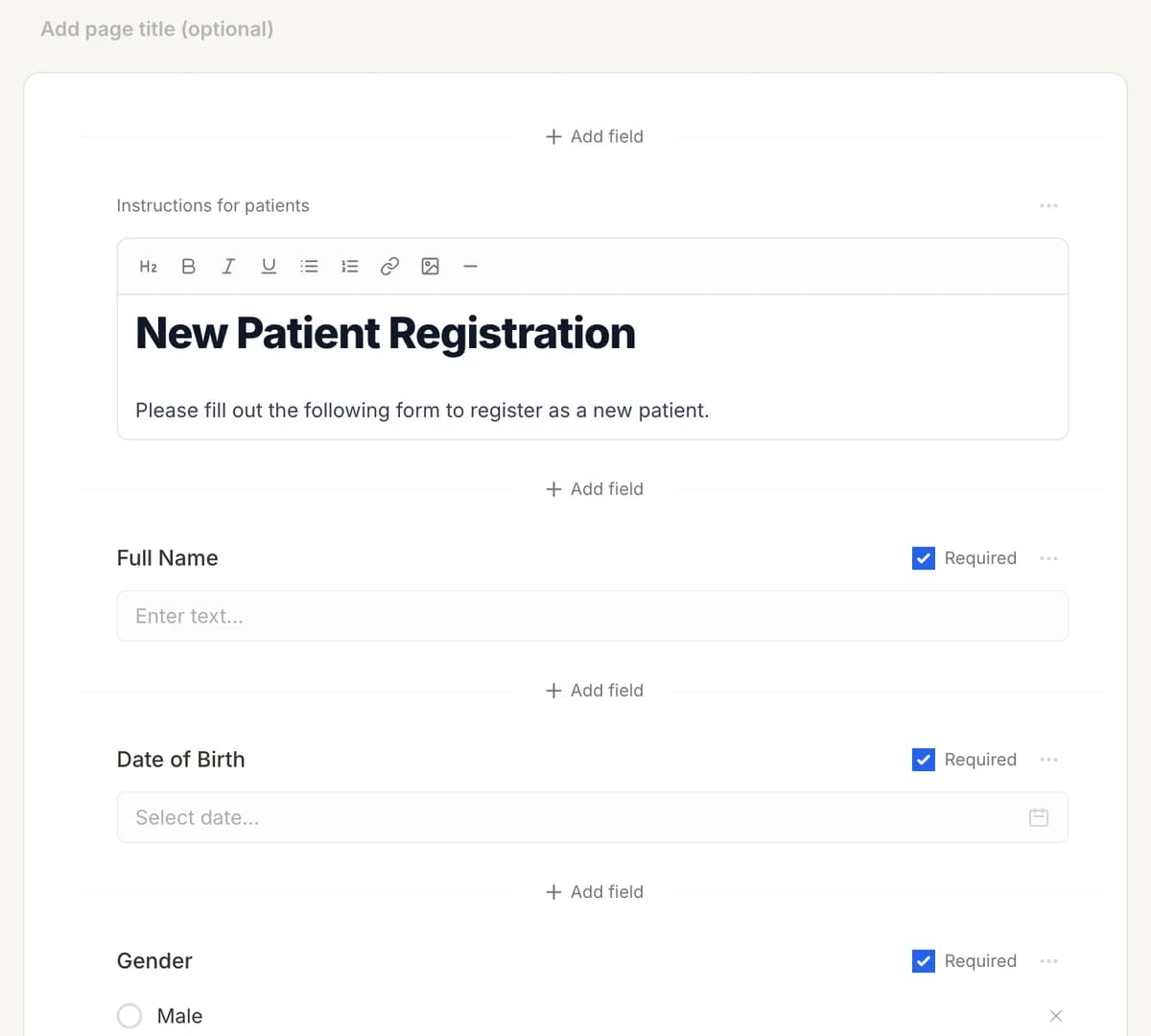
01
Make it yours
Reword, reorder, or add to the Dental Treatment Consent, and add your logo.
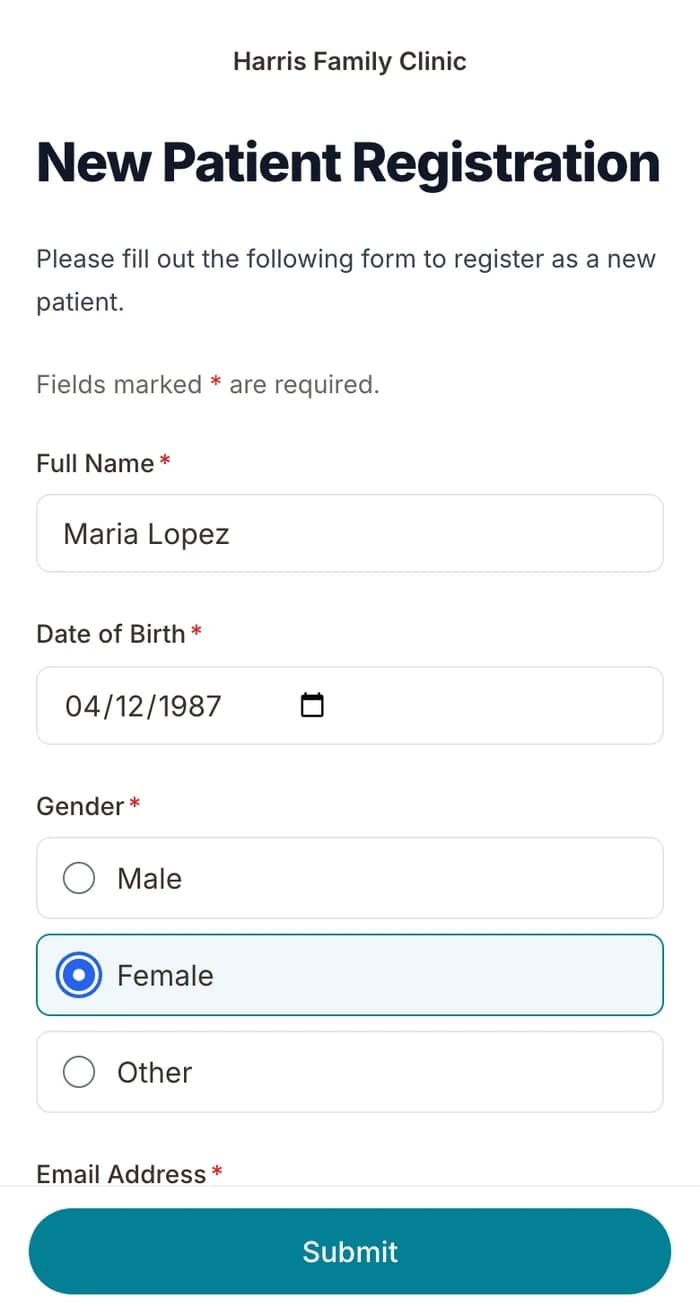
02
Patients finish it at home
A secure link by text or email, filled out on their phone before the visit. No app.
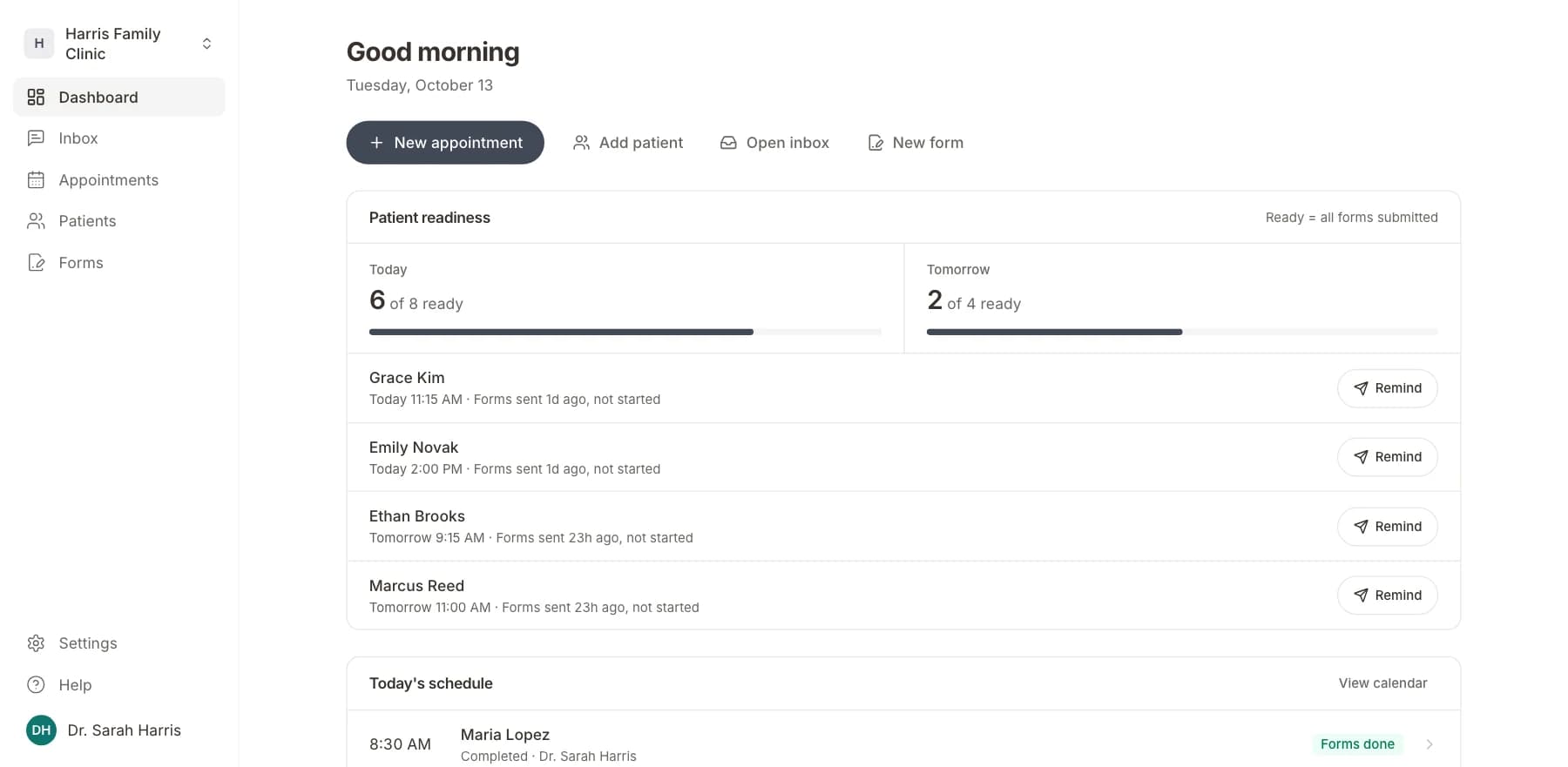
03
Your team sees who is ready
Each visit shows as ready once its forms are in. Answers land on the patient record.
Related templates
All templatesDental Patient Intake FormIntake · 20 questions
General Treatment Consent FormConsent · 5 questions
Anesthesia Consent FormConsent · 10 questions
Dental History FormMedical History · 12 questions
Oral Surgery Billing Authorization FormBilling · 8 questions
Blood Transfusion Consent FormConsent · 12 questions
Questions
Send it before the visit, so patients arrive ready.
Book a short call and we will set up the Dental Treatment Consent for your practice, ready to send before the next visit.
BAA included · We set up your front desk