Functional Capacity Evaluation Form
Asks about date of evaluation, referring provider, and job title / occupation. Built for post-injury return-to-work readiness evaluation.
- Questions
- 16
- Pages
- 2
- Time
- about 4 min
Your practice
Functional Capacity Evaluation Form
Page 1 of 2 · Your information
Live preview. Tap through it like a patient.
Who it is for
- Post-injury return-to-work readiness evaluation
- Worker's compensation functional capacity documentation
- Disability determination and impairment rating assessments
- Pre-employment physical demand fitness screening
What's inside
Before you publish: Clinical review required: this worksheet does not calculate scores, diagnose, or recommend treatment. Confirm the questions and response options against your approved assessment protocol before use.
Page 1 · Your information
- Patient NameText · Required
- Date of EvaluationDate
- Referring ProviderText
- Job Title / OccupationText
- Lifting Capacity (Floor to Waist)Number
Page 2 · Additional details
- Sitting Tolerance (minutes)Number
- Grip Strength (R/L)Text
- Physical Demand LevelLong Text
- Effort ConsistencyLong Text
- Pain During TestingLong Text
From form to a ready patient
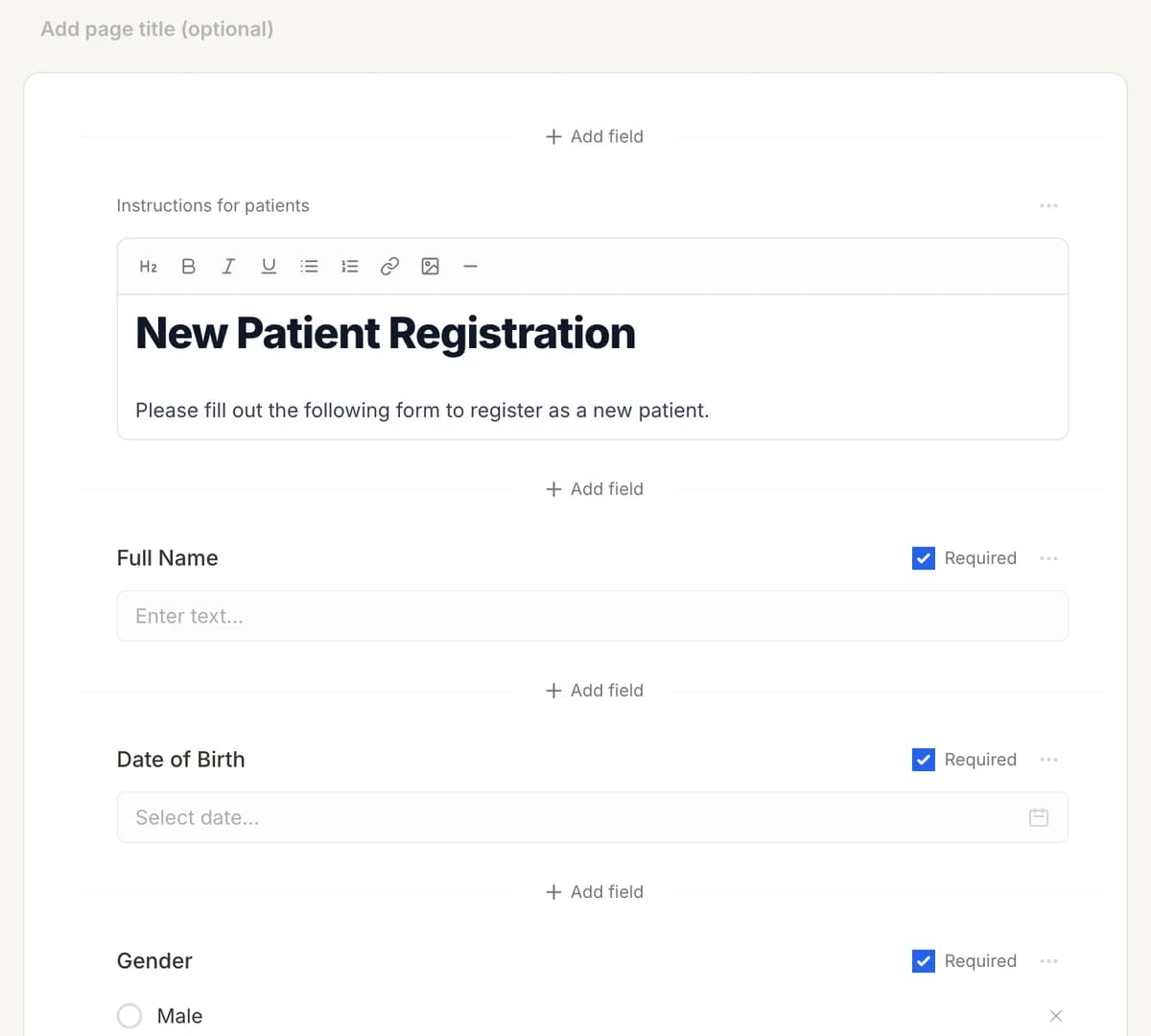
01
Make it yours
Reword, reorder, or add to the Functional Capacity Evaluation Form, and add your logo.
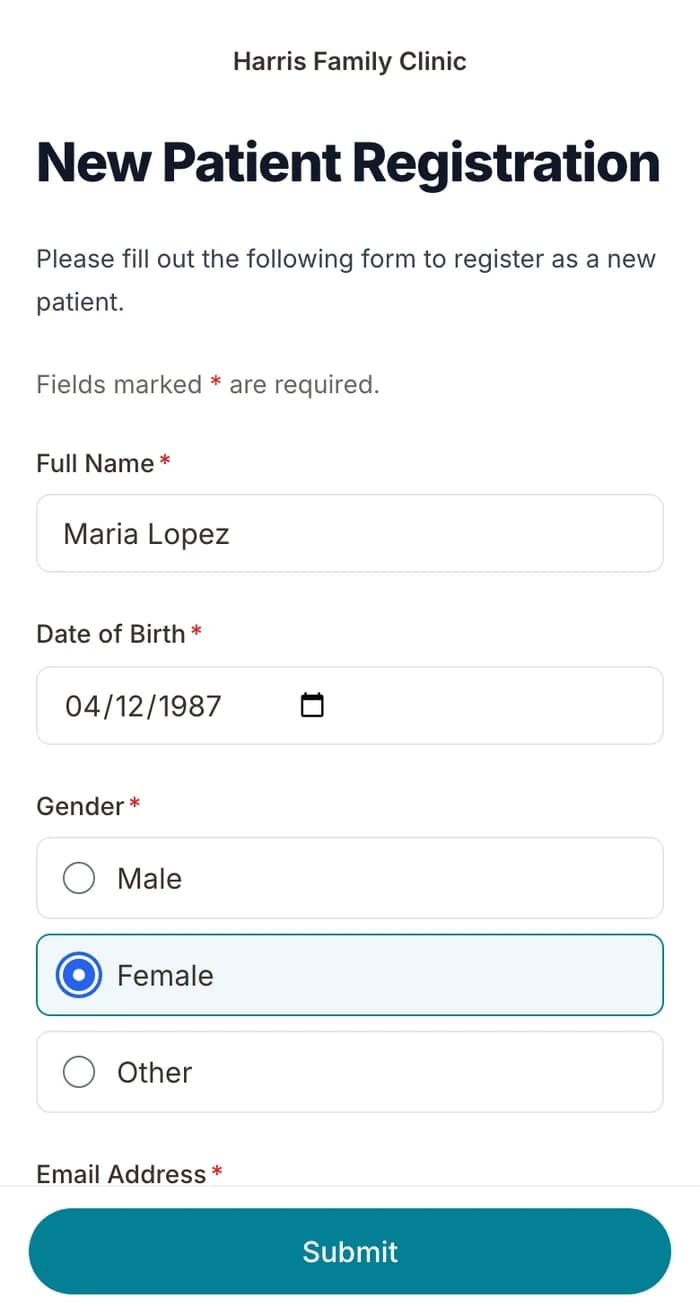
02
Patients finish it at home
A secure link by text or email, filled out on their phone before the visit. No app.
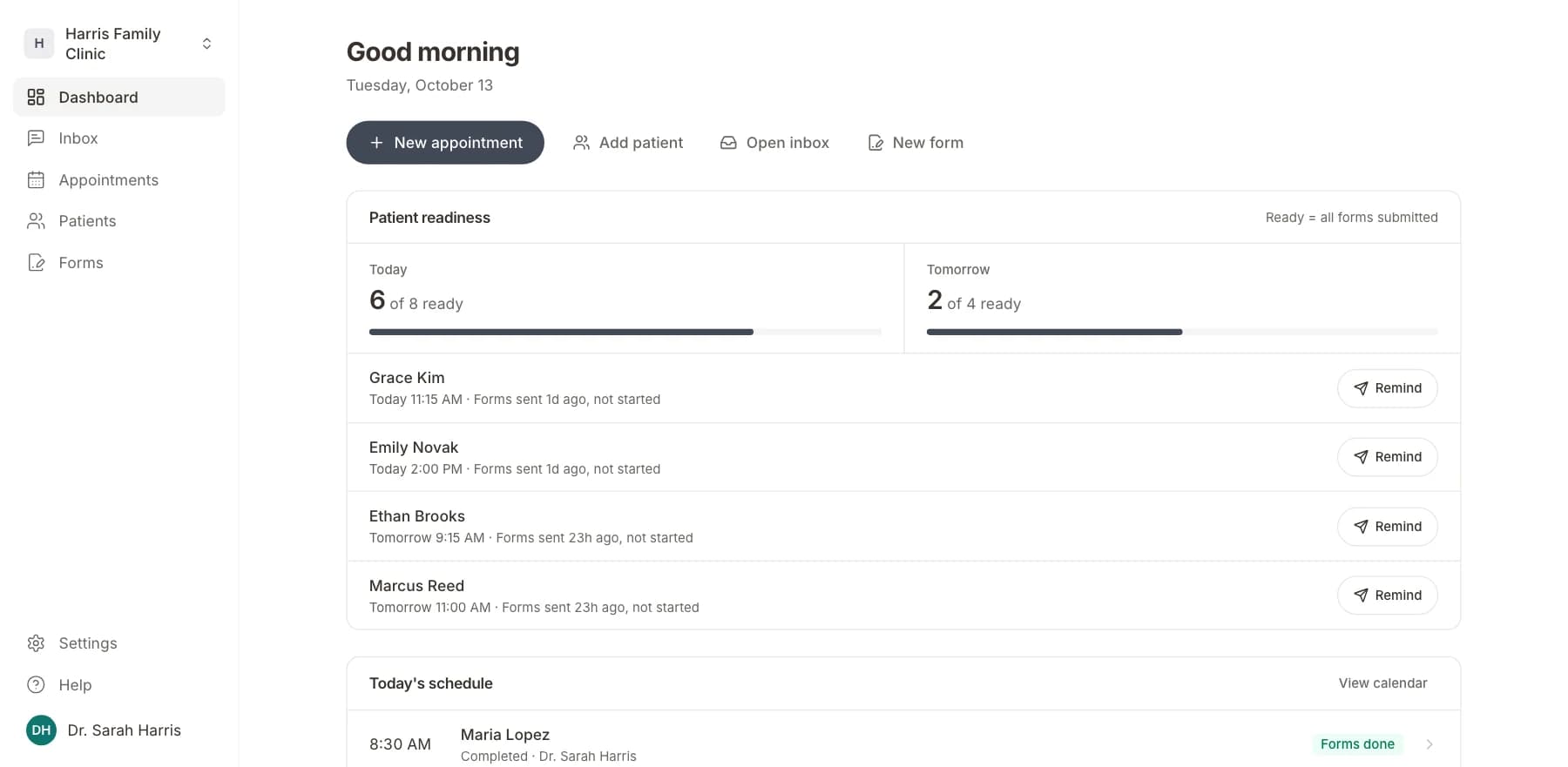
03
Your team sees who is ready
Each visit shows as ready once its forms are in. Answers land on the patient record.
Related templates
All templatesFunctional Independence Measure (FIM)Assessment · 18 questions
Functional Medicine Intake FormIntake · 16 questions
ACE (Adverse Childhood Experiences) ScreeningScreening · 14 questions
Audiology Hearing Screening FormScreening · 10 questions
AUDIT Alcohol Screening FormScreening · 12 questions
Autism M-CHAT Screening FormScreening · 14 questions
Questions
Send it before the visit, so patients arrive ready.
Book a short call and we will set up the Functional Capacity Evaluation Form for your practice, ready to send before the next visit.
BAA included · We set up your front desk