New Patient Online Booking
From first click to chart-ready in minutes
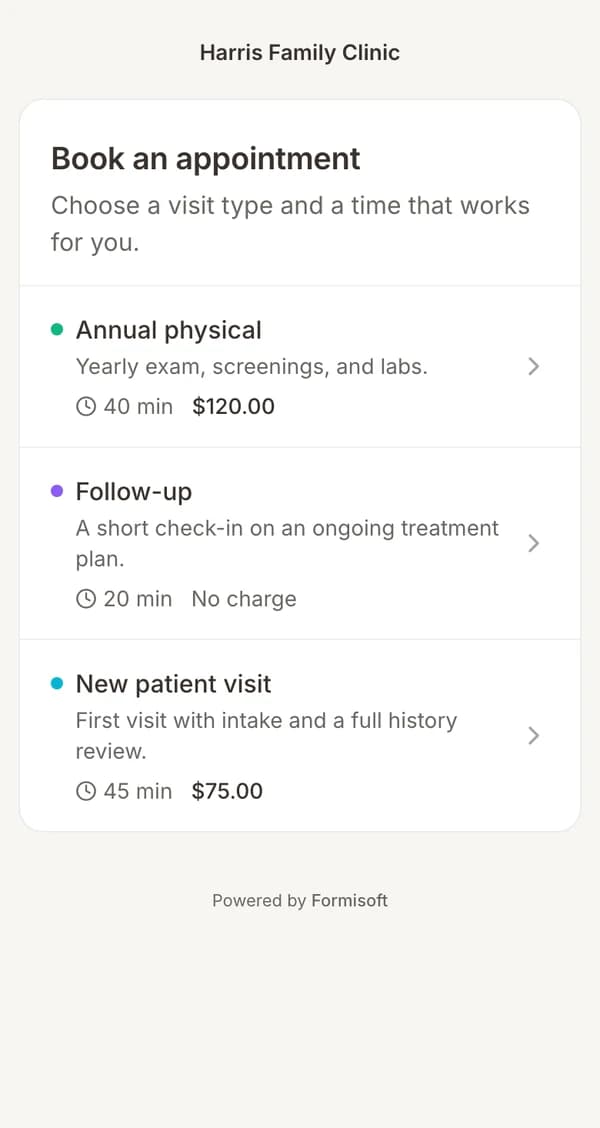
The new patient online booking workflow eliminates the back-and-forth of phone scheduling and paper forms. Patients find an available time on your public booking page, fill out a full intake packet (demographics, insurance photos, medical history, and e-signatures), and pay their copay online. Formisoft automatically creates their patient record so your staff can review everything before the visit.
How it works — 6 steps
Patient books an available slot
Your public booking page shows real-time availability. Patients pick a provider, service type, and time slot that works for them.
Intake form is sent automatically
As soon as the appointment is booked, Formisoft sends a magic-link email with the intake form — demographics, insurance card uploads, medical history, and e-signature consent.
Patient completes intake on any device
The form is fully mobile-friendly. Patients fill it out on their phone, tablet, or computer with auto-save so they never lose progress.
Copay is collected online
A Stripe-powered payment field collects the copay or deposit as part of the intake flow. No separate payment link needed.
Calendar invite is sent
Both the patient and provider receive an .ics calendar invite with appointment details, reducing no-shows.
Patient record is auto-created
Formisoft creates a patient record from the submission — demographics, insurance, and documents are all linked. Staff reviews and the patient arrives chart-ready.
Features used in this workflow
Expected results
Ideal for
Build this workflow for your practice
Start with a template, customize your forms, and go live today. Every feature in this workflow is already built into Formisoft.
$49.99/mo · Cancel anytime