No-Show Policy Acknowledgment Form
Asks about preferred contact method for appointment reminders. Built for new patient registration packets.
- Questions
- 8
- Page
- 1
- Time
- about 2 min
Includes
- E-signature
Your practice
Live preview. Tap through it like a patient.
Who it is for
- New patient registration packets
- Behavioral health and therapy practices with high no-show rates
- Specialty clinics with limited appointment availability
- Physical therapy and rehabilitation centers
What's inside
- I have read and understand the cancellation policy, including the requirement to provide at least 24 to 48 hours' notice for cancellations.Toggle · Required
- I have read and understand the no-show fee policy and accept that fees may be charged for missed appointments without prior notice.Toggle · Required
- Preferred Contact Method for Appointment RemindersMultiple Choice · 3 choices · Required
- Phone NumberPhone · Required
- Email AddressEmail · Required
- Full NameText · Required
- DateDate · Required
- SignatureE-Signature · Required
From form to a ready patient
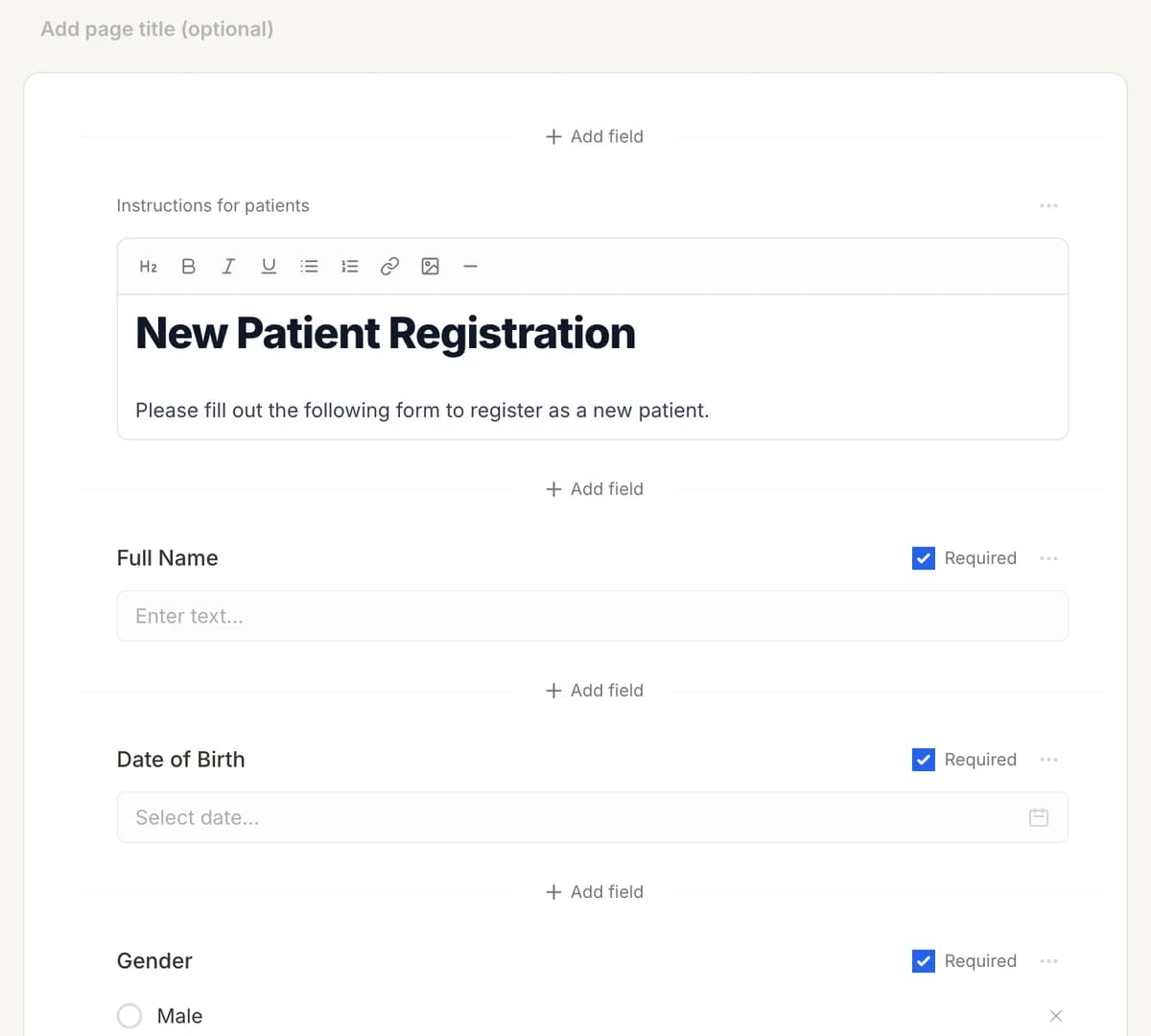
01
Make it yours
Reword, reorder, or add to the No-Show Policy Acknowledgment Form, and add your logo.
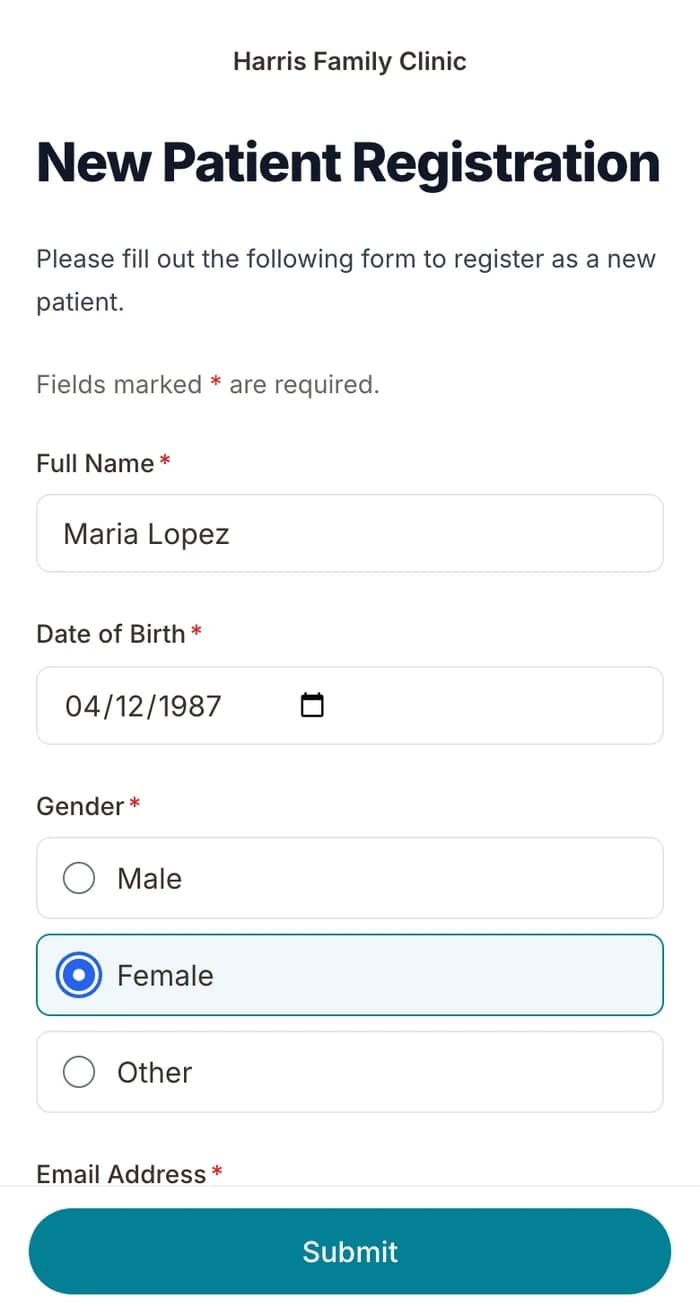
02
Patients finish it at home
A secure link by text or email, filled out on their phone before the visit. No app.
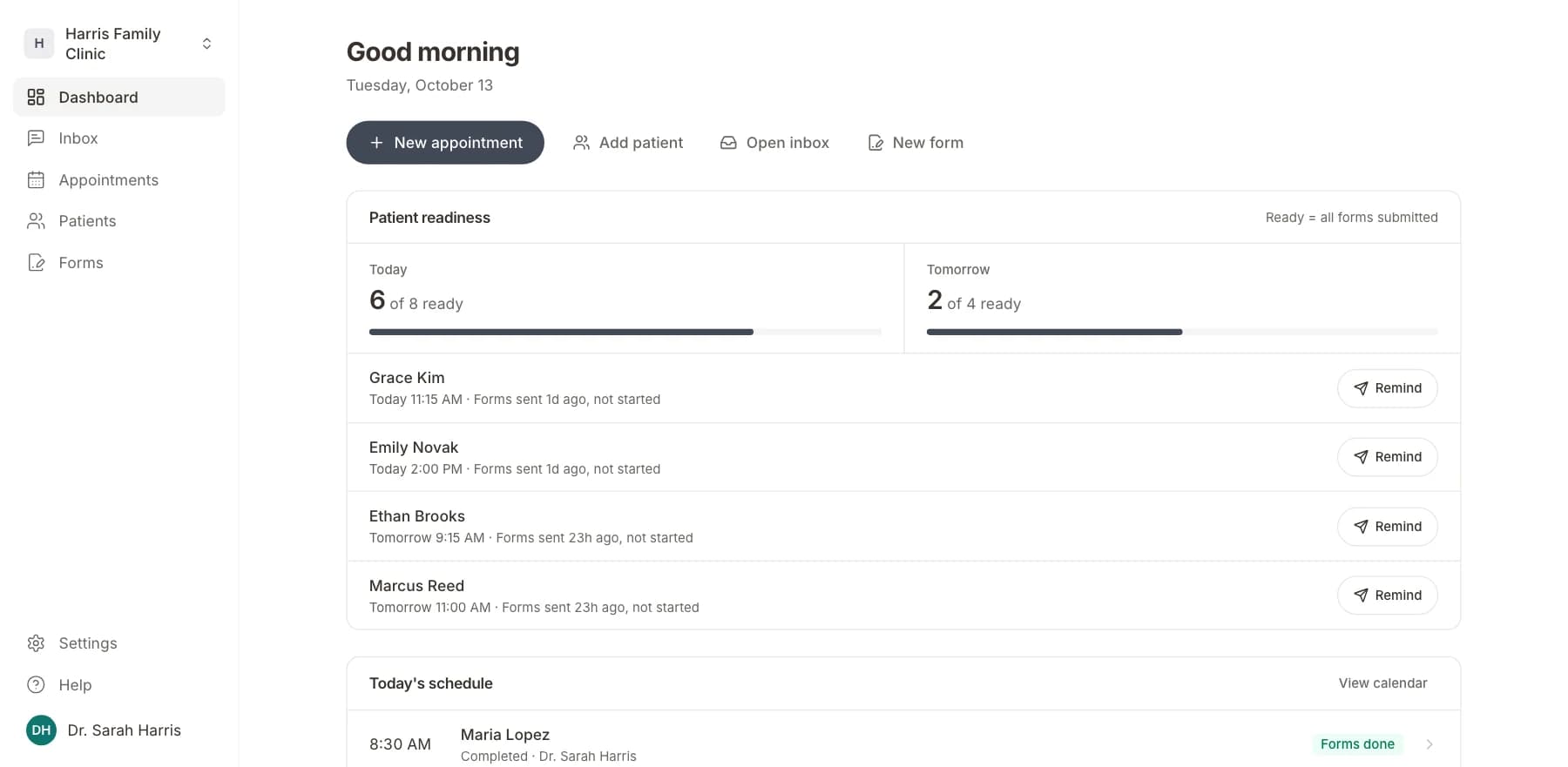
03
Your team sees who is ready
Each visit shows as ready once its forms are in. Answers land on the patient record.
Related templates
All templatesAppointment Request FormRegistration · 11 questions
Appointment Feedback SurveySurvey · 10 questions
Wait Time Feedback SurveySurvey · 10 questions
Advance Directive FormRegistration · 14 questions
Clinical Trial Enrollment FormRegistration · 15 questions
Emergency Contact FormRegistration · 11 questions
Questions
Send it before the visit, so patients arrive ready.
Book a short call and we will set up the No-Show Policy Acknowledgment Form for your practice, ready to send before the next visit.
BAA included · We set up your front desk